






Operational Excellence, powered by Excel

Operational Excellence, powered by Excel

All the Lean Six Sigma tools at your fingertips – spend your time delivering results, not learning software.

All the Lean Six Sigma tools at your fingertips – spend your time delivering results, not learning software.

Image
Image

Trusted by Green Belts and Black Belts worldwide

Trusted by Green Belts and Black Belts worldwide

Benefits

Powerful, simple, secure

Everything you need for Data Analysis in Excel

Safe and secure

No installation, no macros, zero IT hassle

Powerful

Everything that Green Belts and Black Belts need for data analysis

Intuitive

Spend time delivering results, not navigating complex menus

Faster than AI

Instant calculations dramatically boost your productivity

High-quality graphics

Professional design that conveys insights at a glance

Value

A £200 license for the lifetime of your laptop - no annual fees

Image

Features

Comprehensive capabilities

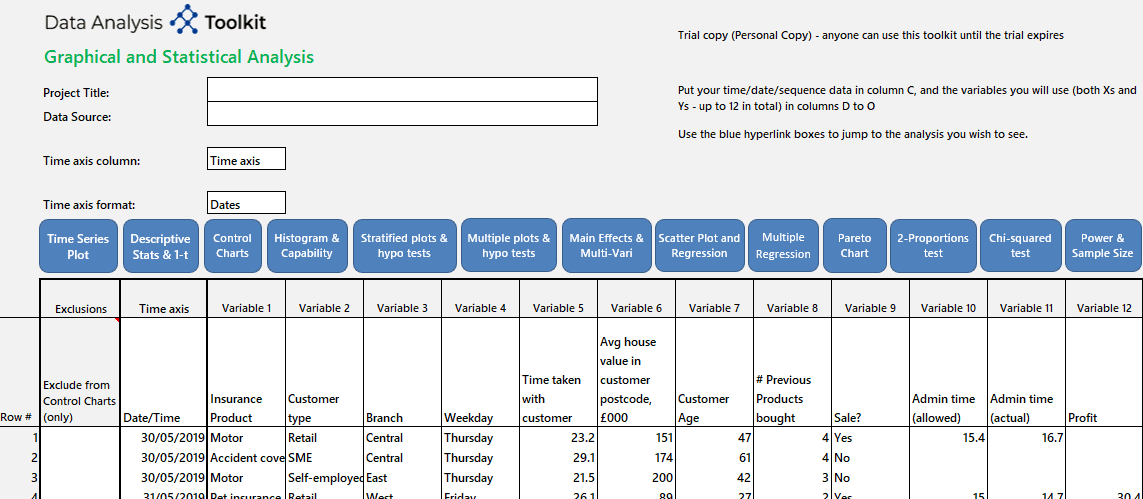
A small selection of the Lean Six Sigma graphical and statistical tools at your disposal
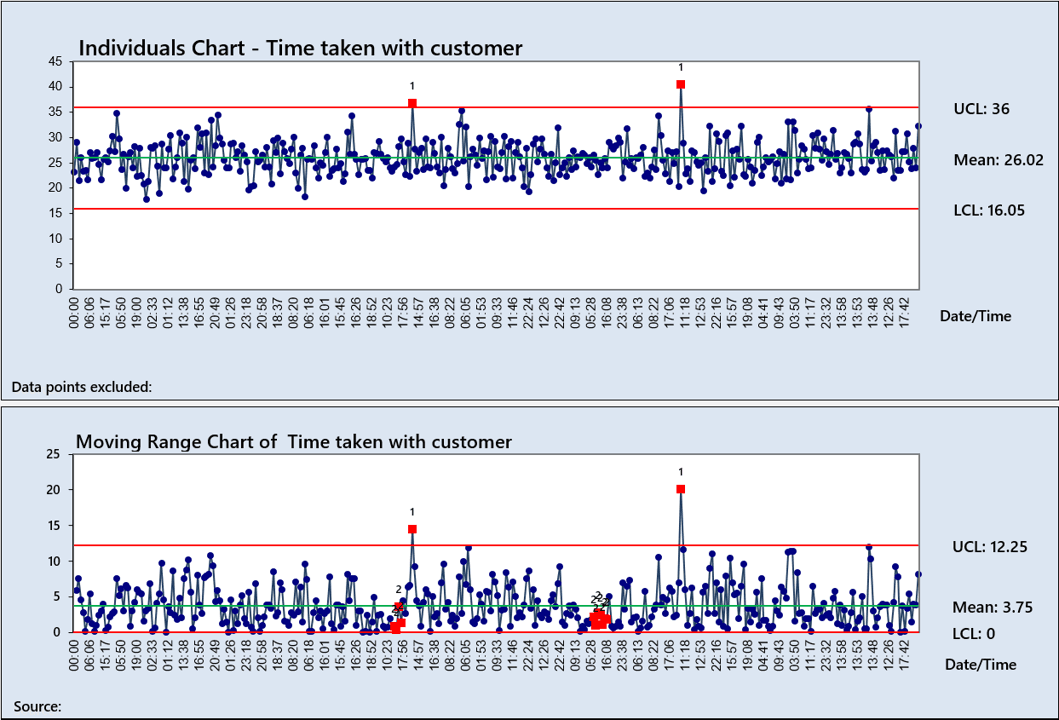
Statistical Process Control
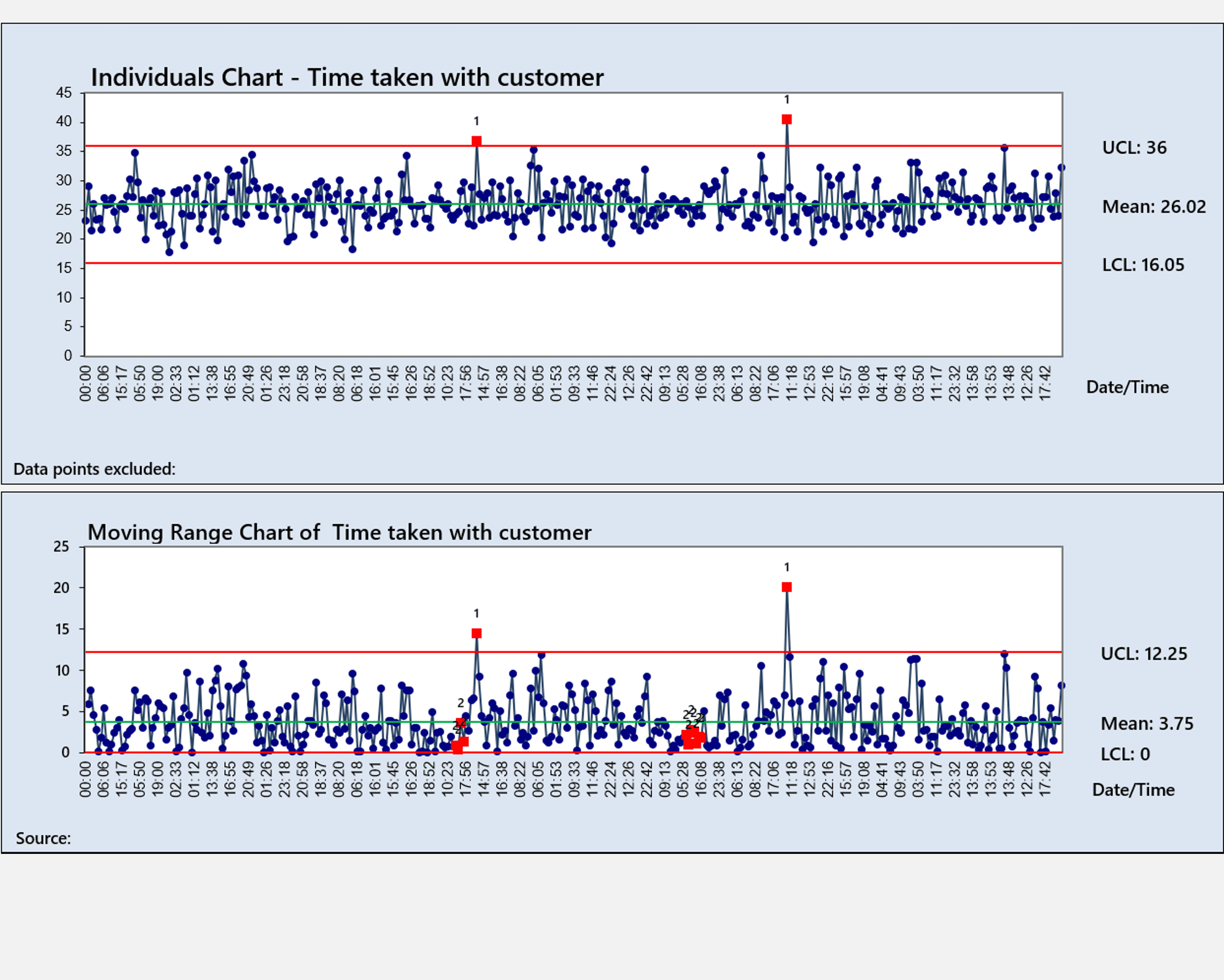
I‑MR, X Bar‑R, p, np, c and u charts with special causes highlighted and before/after option
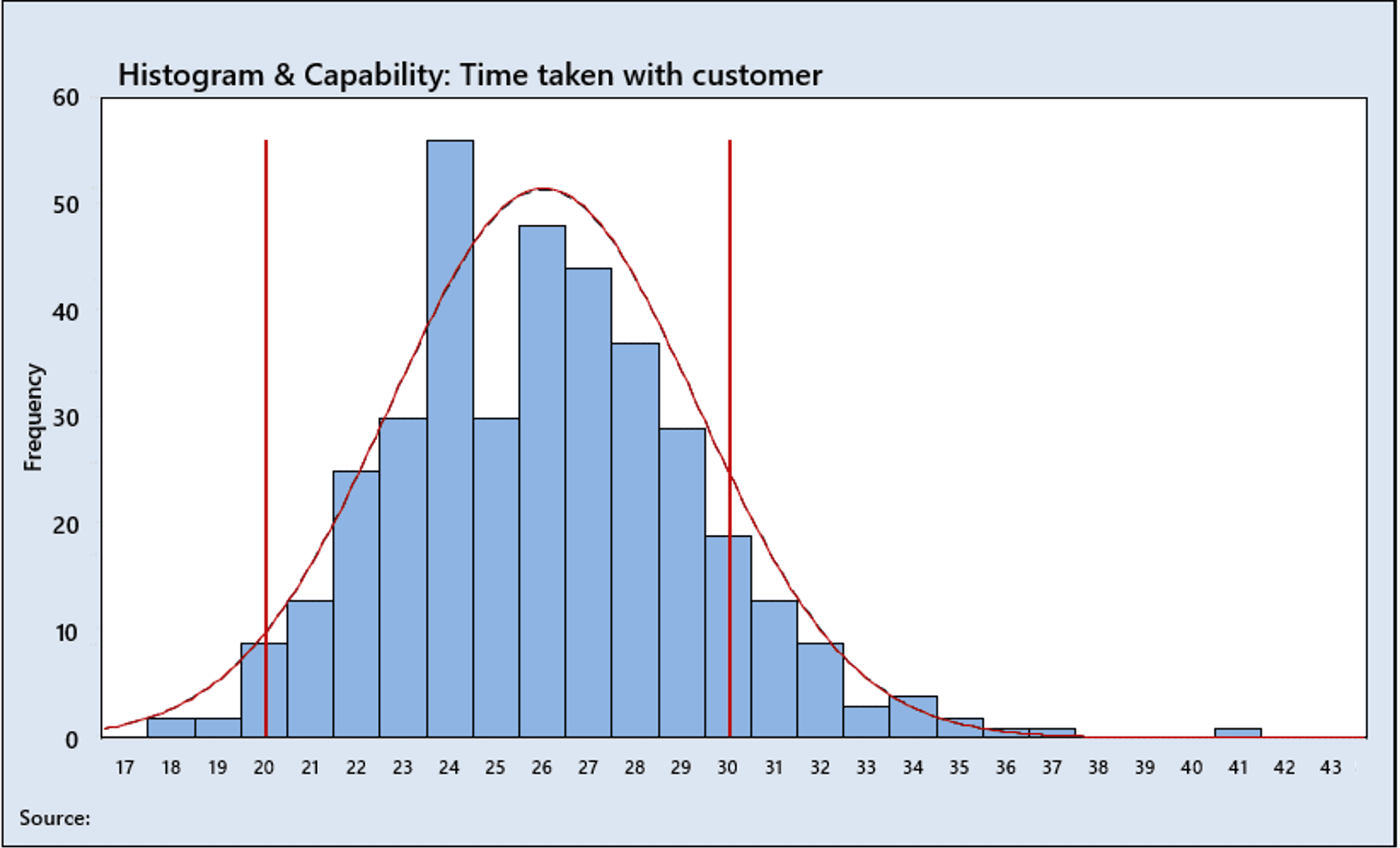
Process Capability
Process Capability
Cpk, Ppk, Sigma value, subgroups option, Normal probability plot and Box-Cox data transformation if needed
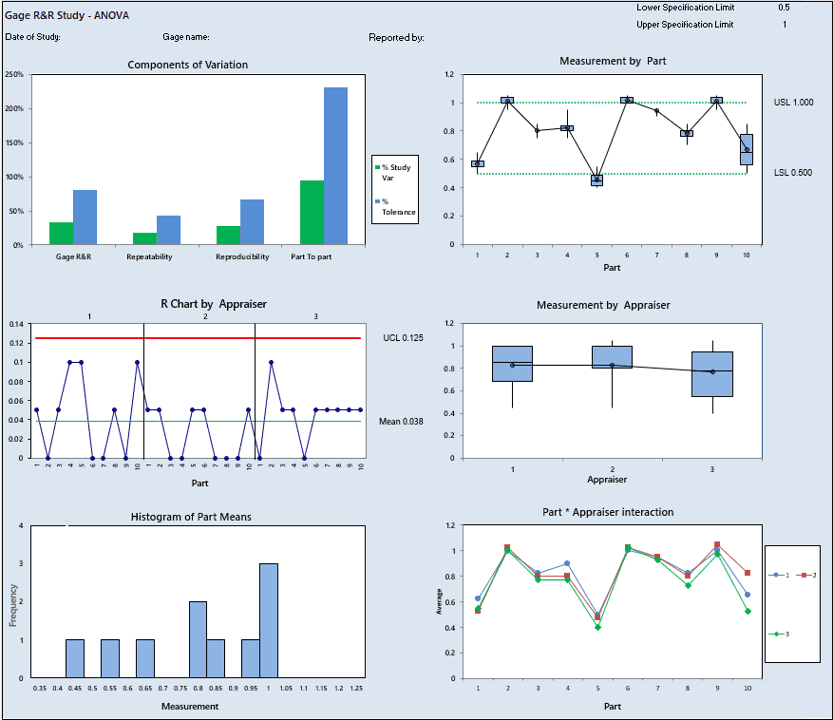
Gage R&R
Gage R&R
ANOVA and X Bar‑R methods with graphical and statistical analysis including detection of non-random sampling
Advanced Pareto Analysis
Raw or table data with weightings option and instant extra analysis to drill further into any category
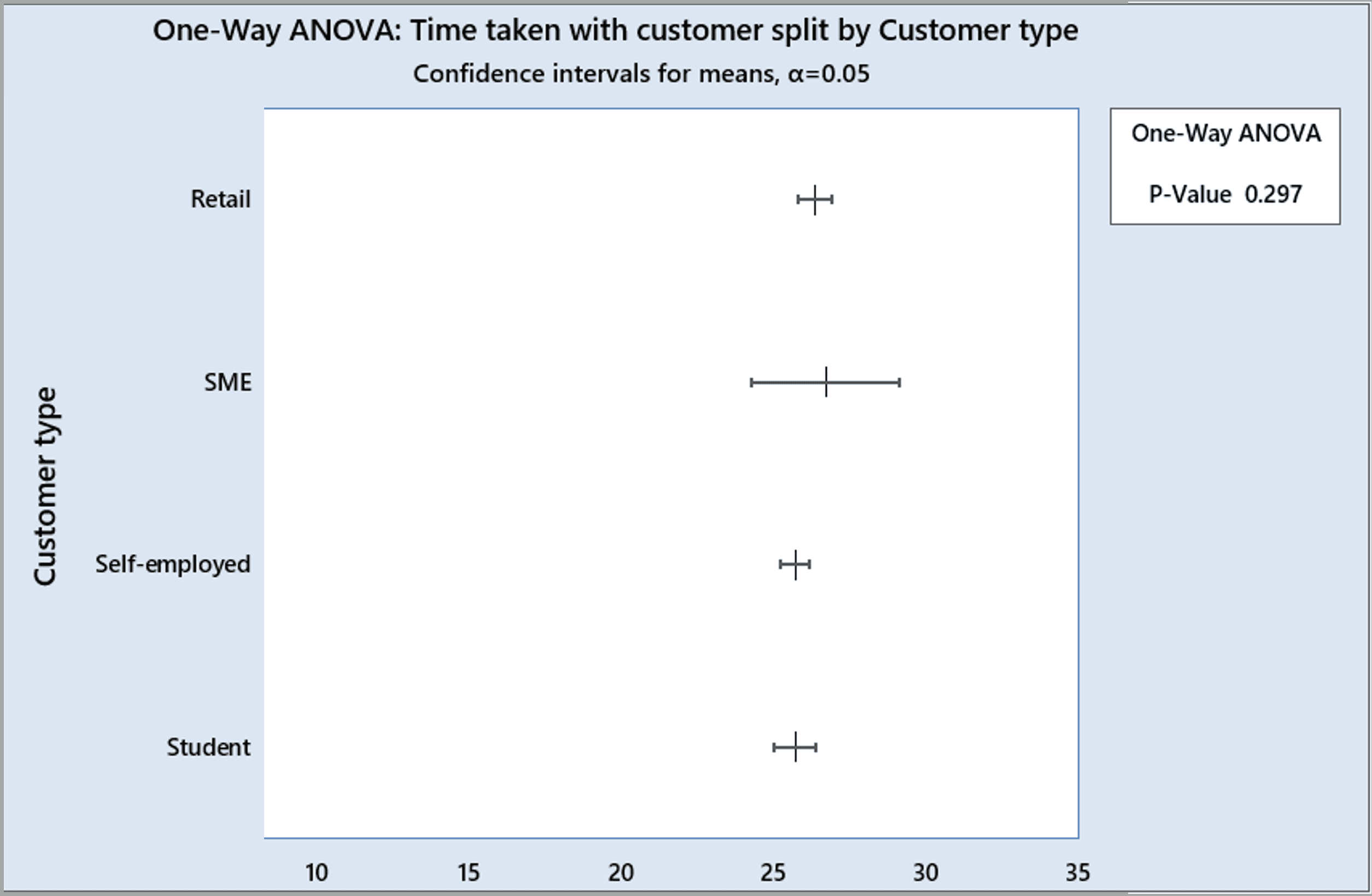
Stratified plots, t‑tests and ANOVA
Stratified time series, box plots and hypothesis tests — automatically selecting t-tests or ANOVA based on the number of groups
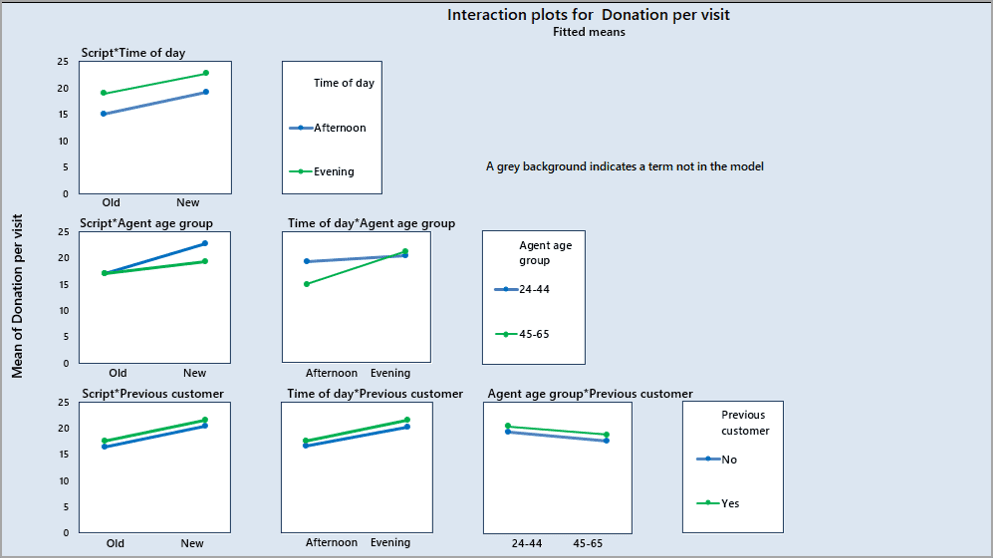
2k Design of Experiments
Up to 7 factors with all the fractional designs, centre points and blocking, with main effects plots, interactions and residuals analysis
Chi‑Squared Analysis
Quickly identify differences with a table or raw data, with automatic detection and removal of trivial categories
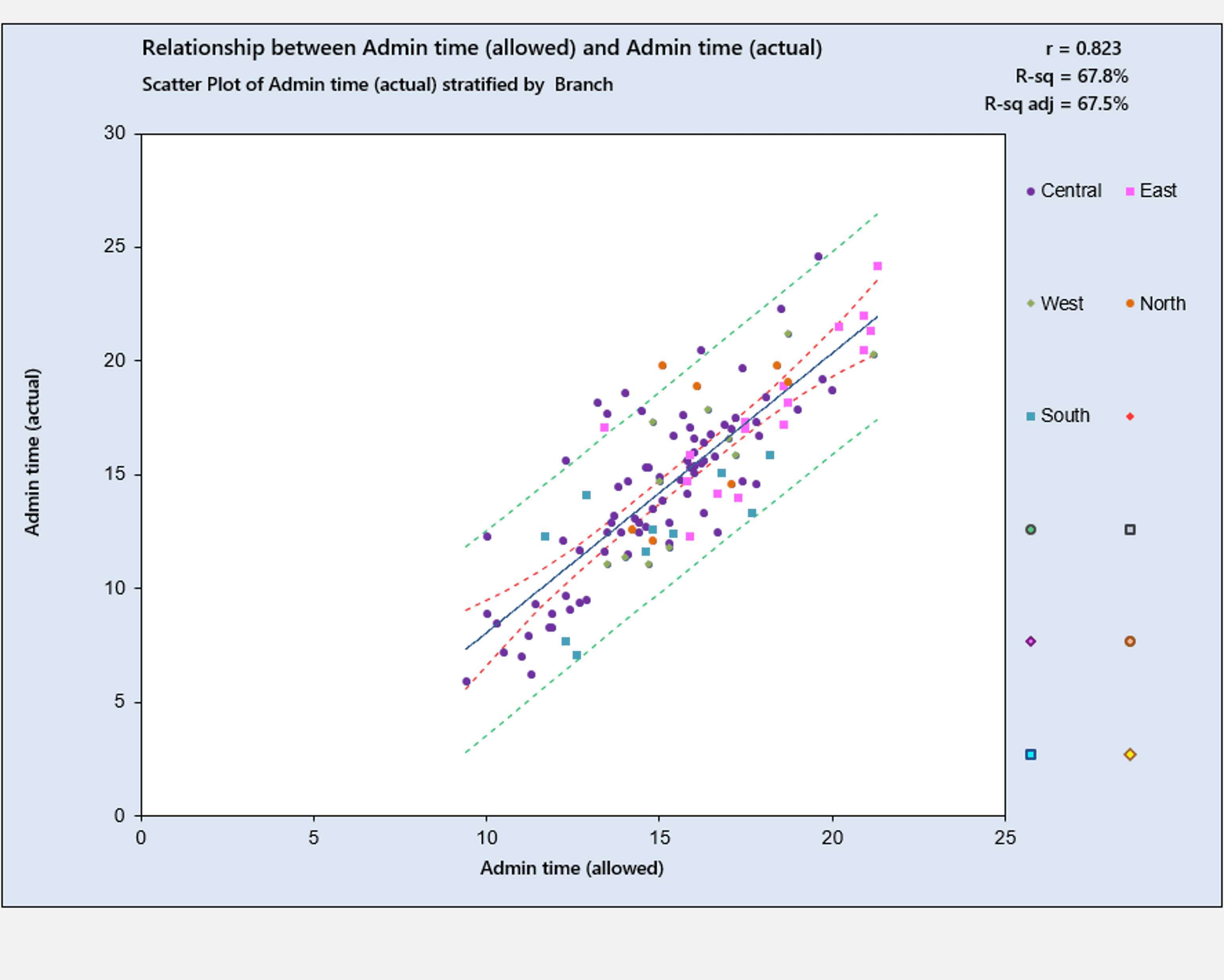
Simple Linear and Multiple Regression
Includes one-click inclusion of squared terms and discrete data, adjusted R‑squared and VIF calculations
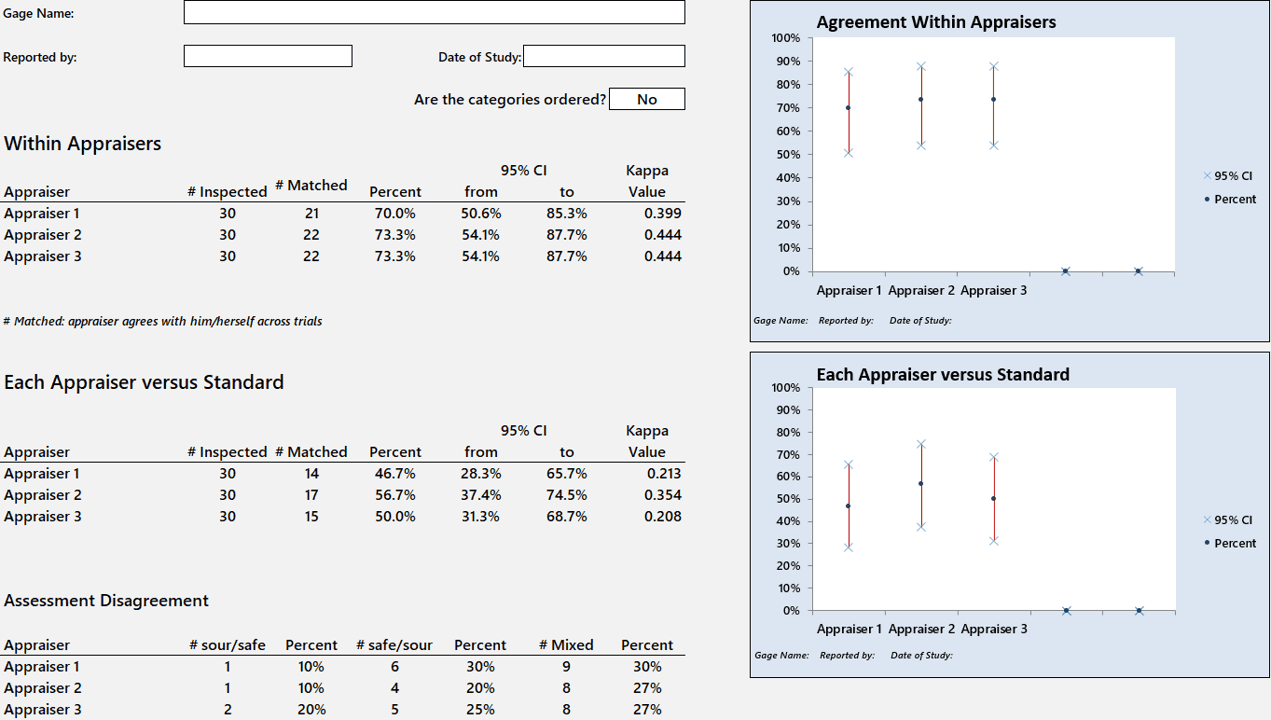
Attribute Agreement Analysis
Calculate percentage agreement, including diagnostics, confidence intervals and Kappa/Kendall values
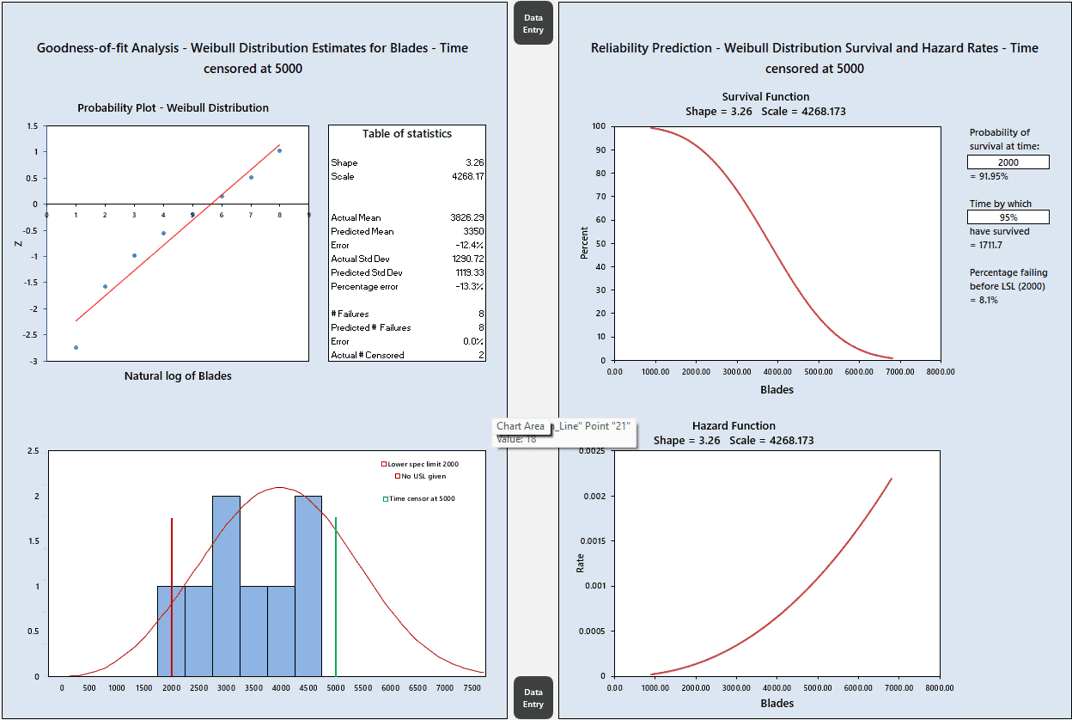
Reliability and Life Analysis
Model survival probability and hazard function with 2‑ or 3‑factor Weibull distributions including censored data

Full Features List

Product Comparisons

What practitioners want

Works in Excel

All Green Belt and Black Belt tools included

Professional-grade graphics

Use without IT support for installation

Intuitive and menu-free

License cost (USD, approx.)

License duration

Data Analysis Toolkit

$270

Lifetime of your laptop

Minitab

$2400

One year

Sigma XL

$400

Permanent

QI Macros

$380

Permanent

Which product is right for you?

Image

Explainer Videos

See it in action

COMING SOON - Short walkthroughs showing real analysis in under 5 minutes

Trial and Purchase

Get started today

No payment or credit card details required for the trial. We do not store your data

Full toolkit included

All graphical and statistical tools with comprehensive user guide

Safe and secure

No installation required + No macros = No IT friction

Free technical support

Help with setup and licensing is just an email away

1 Start here
Request free trial
Get the full toolkit — no payment needed
2 After downloading the free trial
Buy your licence
You will need a PC number, which comes from the free trial version
Request your free 30-day trial
No credit card required. You'll receive the toolkit by email shortly.

What happens next?
You'll receive the Toolkit files by email. Save these to the folder where you will use them. The Toolkit will provide the PC number needed for Step 2.

Consulting

Operational Excellence Consulting

Expert support for your Lean Six Sigma depoyment and Excel challenges

Deployment Support

Whether you are just starting or need to revive a flagging program, we can help

Training and Coaching

Engaging and motivational training from the industry's leading practitioners

Excel Development

Spreadsheet challenges? We love them! Let us take the strain

Case studies
Work we're proud of
A selection of client engagements across sectors
Pharmaceutical
Operational Excellence consulting
Key outcome
No further FDA warning letters

Our client had received a Warning Letter from the FDA for its conduct of clinical trials and decided to take a proactive, rather than reactive, approach to risk in this area. The brief was to find the critical weaknesses in the end-to-end process before they led to a similar incident.

Our consultant led a team of Green Belts and Black Belts from the client's own staff, running a series of process mapping and FMEA workshops to root out and prioritise key risks. This led to a small number of critical interventions, together with the chartering of approximately 150 Green Belt projects to address the more complex challenges.

Automotive
Re-energising Lean Six Sigma training
Key outcome
$15m typical savings per cohort with 3–4 month projects
Read more →
Pharmaceutical
Culture change through Yellow Belt training
Key outcome
30,000-strong manufacturing workforce engaged in daily problem-solving
Read more →
Excel Development
Bespoke spreadsheet development
Key outcome
A few examples of the contract Excel work we have undertaken
Read more →

Help & Support

Frequently asked questions?

Helping you understand how Finance AI delivers security, compliance, and smarter financial automation.

Is the toolkit easy to use?

Absolutely - you click a hyperlink to take you to the analysis you want and select the column with the data you need. Completely intuitive.

Will I need permission to install it from IT?

So... does that mean I can just make copies for my friends?

What if I have two laptops? What if I change my laptop?

Are the results trustworthy?

What are the main limitations of the toolkit?

Help & Support

Frequently asked questions?

Helping you understand how Finance AI delivers security, compliance, and smarter financial automation.

Is the toolkit easy to use?

Absolutely - you click a hyperlink to take you to the analysis you want and select the column with the data you need. Completely intuitive.

Will I need permission to install it from IT?

So... does that mean I can just make copies for my friends?

What if I have two laptops? What if I change my laptop?

Are the results trustworthy?

What are the main limitations of the toolkit?

Help & Support

Frequently asked questions?

Helping you understand how Finance AI delivers security, compliance, and smarter financial automation.

Is the toolkit easy to use?

Absolutely - you click a hyperlink to take you to the analysis you want and select the column with the data you need. Completely intuitive.

Will I need permission to install it from IT?

So... does that mean I can just make copies for my friends?

What if I have two laptops? What if I change my laptop?

Are the results trustworthy?

What are the main limitations of the toolkit?

© 2026 Improvement Analytics Ltd. All rights reserved.

dataanalysistoolkit.com

Contact: support@dataanalysistoolkit.com

© 2026 Improvement Analytics Ltd. All rights reserved.

dataanalysistoolkit.com

Contact: support@dataanalysistoolkit.com

© 2026 Improvement Analytics Ltd. All rights reserved.

dataanalysistoolkit.com

Contact: support@dataanalysistoolkit.com